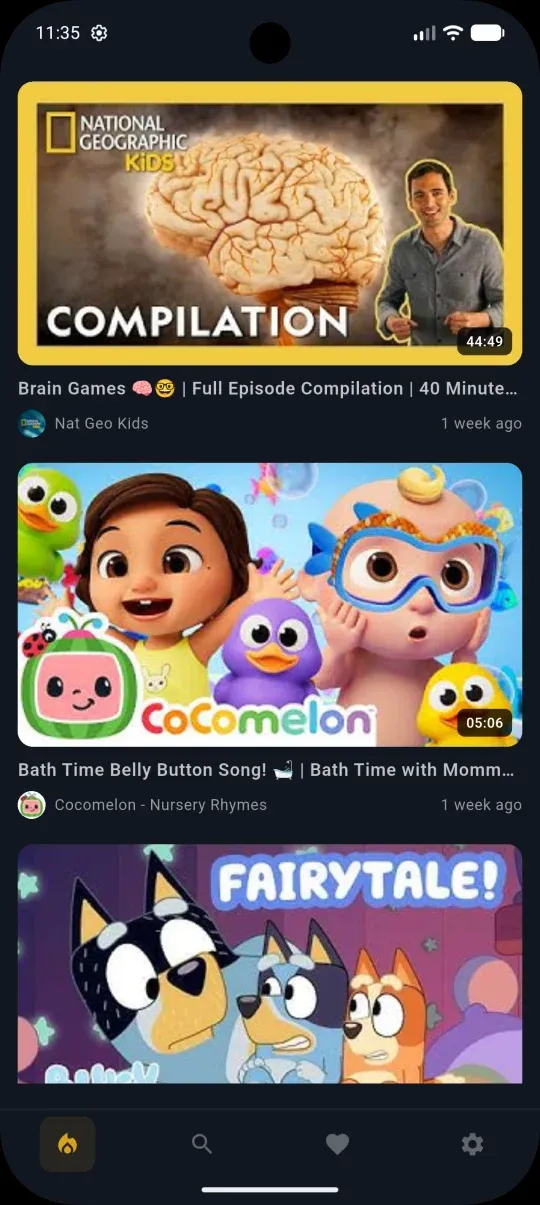
Tubsy is a safe YouTube player for kids
Your child only sees videos, playlists, and channels you've approved.


YouTube is a rabbit hole.
Your child is just one click away from content you'd never approve.
Kids start on their favourite channel — and the algorithm does the rest. Suggested videos lead to more suggested videos. Within minutes, they've drifted far from where they started. Not by accident. That's exactly how YouTube is built.
See for yourself how quickly YouTube leads children into places they shouldn't be.
Try the Rabbit Hole SimulatorTubsy makes YouTube safe for kids
No algorithm. No recommendations. No ads in the app. Parents approve any videos, playlists, and channels on YouTube. Kids only see what's been approved for them. Everything else is safely blocked and never shown.
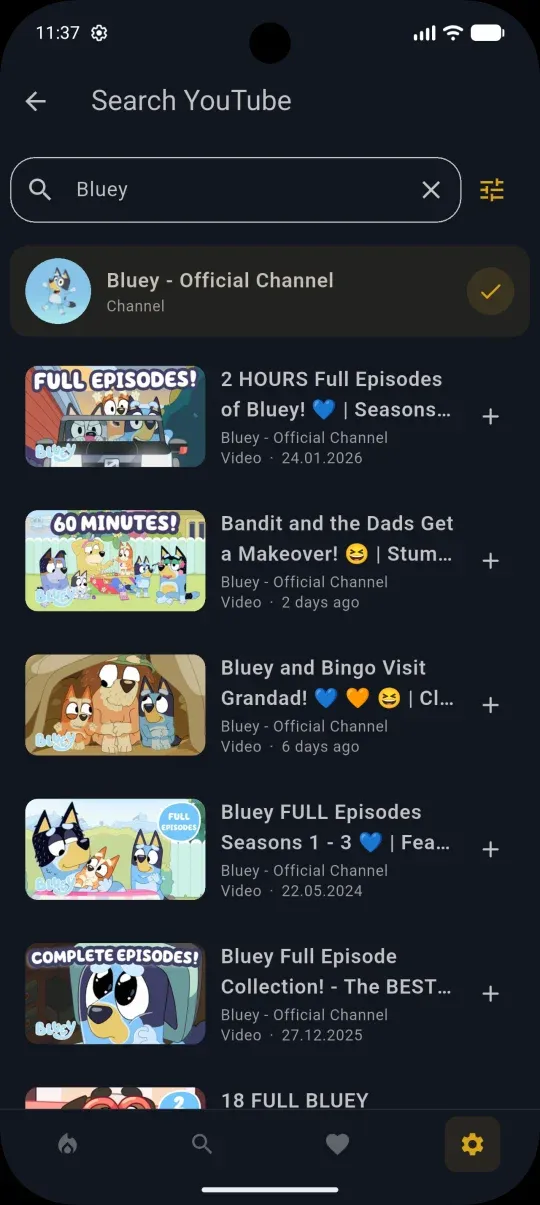
Search YouTube and select what your child may see
Search YouTube directly inside Tubsy. Found the perfect channel, playlist, or video? Approve it with one tap. Everything else stays out.
Tubsy has everything parents need
Tubsy comes with all the features parents wish for.
Granular Approval
Select specific videos, entire playlists, or complete channels. Only these appear in your children's feed.
Real Channel Feed
As soon as an approved channel uploads a new video, it automatically appears in your children's safe feed.
Parental Password
Settings are securely locked. Your child cannot leave the protected area or approve content themselves.
Daily Time Limits
Set individual daily viewing limits. Once time is up, Tubsy pauses automatically—helping your child build healthy digital habits.
Guaranteed Ad-Free
No ads, no tracking, and no unexpected interruptions. Your child enjoys a protected environment featuring only the content you've personally approved.
Multi-Platform Access
A seamless experience across Android smartphones, tablets, and Android TV. Your child can enjoy their safe content anywhere they go.
We actively keep building Tubsy.
Missing a feature? User feedback is our most important input — reach out and we'll see what we can build.
What parents say
— Michael V., father of two
— Sarah K., educator
Guides for Parents
Everything you need to know about safe YouTube for kids.
Safe YouTube for Kids
YouTube offers great content for kids — but the algorithm, automatic recommendations, and unvetted content make unsupervised watching risky. Tubsy changes that.
Read guide →Control YouTube
YouTube has content for every age and interest. With Tubsy you decide which of it your child is allowed to see — and which stays invisible.
Read guide →YouTube Kids Alternative
YouTube Kids is well-intentioned. But parents who really want to decide what their child sees need more than a filtered mode.
Read guide →Screen Time
The question isn't just how much screen time is healthy. But also: how do you hold the line when YouTube always wants more?
Read guide →Kids Watching YouTube Alone?
YouTube has fantastic content for children. But without control, 'watching alone' also means: alone with the algorithm, alone with recommendations, alone with everything YouTube wants to show.
Read guide →Safe YouTube on Fire Kids tablets
Amazon Fire Kids tablets are some of the best starter devices for children: durable, affordable, and built around parental controls. Tubsy closes the YouTube gap by letting your child watch only the channels, playlists, and videos you approve.
Read guide →YouTube Rabbit Hole
See how quickly YouTube recommendations can pull children from harmless videos into strange or intense content.
Read guide →Start free. Stay carefree.
All essential safety features for free – or go Tubsy Carefree for unlimited control for the whole family.
- 1 child profile
- 3 YouTube channels
- 5 individual videos
- Web access included
- 1 Android device
- Unlimited child profiles
- Unlimited YouTube channels
- Approve playlists
- Unlimited individual videos
- Web access included
- Unlimited mobile devices
- Time limits & statistics
Upgrade via the Android app